top of page

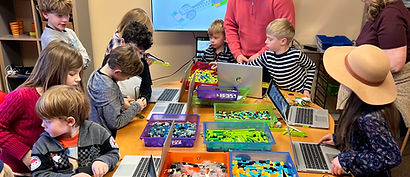

3D printing and design
Kids will explore the exciting world of 3D creation, learning how ideas turn into real objects. They’ll get a sneak peek into design fundamentals, including shapes, parts, and tools, and understand principles of industrial design to create functional and imaginative models. Students will also learn how to prepare their designs for printing, CAD,slice models, and operate a 3D printer. Along the way, they’ll develop creativity, spatial reasoning, problem-solving skills, and a hands-on understanding of how modern products are designed and made
Once there are plans available for purchase, you’ll see them here.
No plans available
* For more information about packages and membership please visit our Pricing page
Course outline
Class name | Class Description | Class objectives | Key takeaways |
|---|---|---|---|
3D modeling and CAD software. Introducing TinkerCAD | In this class, students take their first steps into digital 3D design using TinkerCAD, an easy-to-use web-based modeling tool. Kids learn how shapes on a screen become real objects that can be 3D printed. By creating simple designs with basic shapes, students discover how designers use software to plan, build, and improve objects before they are printed. | Understand what 3D modeling and CAD software are
Learn how digital designs are used to prepare objects for 3D printing
Get familiar with the TinkerCAD workspace and basic navigation
Use basic shapes to build a simple 3D model
Learn how objects are resized, moved, and combined
Practice saving and modifying their designs
Connect digital models to real-world 3D printing | Design on a screen: 3D models are created digitally before printing
Shapes are building blocks: Complex objects are made from simple shapes
CAD tools: Software helps designers plan and fix mistakes easily
Digital to physical: What you design can be 3D printed
Try, test, improve: Designs can be changed anytime
Creativity + Technology: Computers help turn ideas into real objects |
Industrial Design Basics – Designing for Real Use | In this class, students learn what industrial designers do and how everyday objects are designed to be useful, safe, and comfortable. Kids explore how shape, size, and strength affect how an object works in real life. Using 3D pens, students design and build simple, functional objects—like hooks, holders, or stands—learning that good design is not just about how something looks, but how well it works. | "Understand what industrial design is and how it helps people
Learn the difference between decoration and functional design
Explore how objects are designed for holding, carrying, standing, or supporting weight
Identify basic design needs such as strength, balance, and usability
Plan a simple object meant for real use
Build a functional prototype using a 3D pen
Test and improve their design" | "Design solves problems: Objects are made to help people do things
Function first: Good design works well before it looks fancy
Real-world thinking: Designers think about users and situations
Prototypes matter: First versions help us test ideas
Strength & structure: Some shapes are stronger than others
Iteration: Testing and improving makes designs better" |
Modeling for 3D Printing – Ready-to-Print Designs | In this class, students take their first steps into digital 3D design using TinkerCAD, an easy-to-use web-based modeling tool. Kids learn how shapes on a screen become real objects that can be 3D printed. By creating simple designs with basic shapes, students discover how designers use software to plan, build, and improve objects before they are printed. | "Understand what 3D modeling and CAD software are
Learn how digital designs are used to prepare objects for 3D printing
Get familiar with the TinkerCAD workspace and basic navigation
Use basic shapes to build a simple 3D model
Learn how objects are resized, moved, and combined
Practice saving and modifying their designs
Connect digital models to real-world 3D printing" | "Design on a screen: 3D models are created digitally before printing
Shapes are building blocks: Complex objects are made from simple shapes
CAD tools: Software helps designers plan and fix mistakes easily
Digital to physical: What you design can be 3D printed
Try, test, improve: Designs can be changed anytime
Creativity + Technology: Computers help turn ideas into real objects" |
Getting Started With 3D Design – Shapes, Parts & Tools | In this class, students learn what industrial designers do and how everyday objects are designed to be useful, safe, and comfortable. Kids explore how shape, size, and strength affect how an object works in real life. Using 3D pens, students design and build simple, functional objects—like hooks, holders, or stands—learning that good design is not just about how something looks, but how well it works. | "Understand what industrial design is and how it helps people
Learn the difference between decoration and functional design
Explore how objects are designed for holding, carrying, standing, or supporting weight
Identify basic design needs such as strength, balance, and usability
Plan a simple object meant for real use
Build a functional prototype using a 3D pen
Test and improve their design" | "Design solves problems: Objects are made to help people do things
Function first: Good design works well before it looks fancy
Real-world thinking: Designers think about users and situations
Prototypes matter: First versions help us test ideas
Strength & structure: Some shapes are stronger than others
Iteration: Testing and improving makes designs better" |
Introduction to 3D Printing – How Things Are Made | In this introductory class, students discover how everyday objects are designed and made using 3D printing. Kids learn what 3D printing is, how digital ideas become real objects, and how printers build items layer by layer. Using 3D pens, students experience this process hands-on by “printing” their own simple 3D creations, helping them understand design, structures, and creativity in a fun and safe way. | "Understand what 3D printing is and how it works
Learn how objects go from ideas to designs and then to real products
Discover how 3D printers build objects layer by layer
Explore basic design concepts such as shape, size, and structure
Use 3D pens to safely create simple 3D objects
Develop creativity, confidence, and fine motor skills
Practice patience and problem-solving while building their designs" | "How things are made: Objects can be designed on a computer and printed in 3D
Layered building: 3D printing creates objects one layer at a time
Design thinking: Every object starts as an idea and a plan
Hands-on creation: 3D pens work like mini 3D printers
Creativity & STEM: Art, engineering, and technology work together
Real-world connection: 3D printing is used in toys, tools, medicine, and space" |
bottom of page